

From Queues to Clicks: How Self-Service Kiosks Transform Everyday Operations

In every industry, one reality is the same: customers hate waiting in line, and companies can’t afford inefficiency. As traffic grows and expectations rise, traditional counters and manual processes reach their limits. That’s where self-service kiosks step in—not as a gadget, but as a strategic tool to streamline operations, reduce queues, and unlock new levels of productivity.
Today, kiosks are doing far more than printing tickets or checking balances. They are becoming an integral part of the customer journey, taking over repetitive tasks so staff can focus on higher-value interactions.
Why queues are a bigger problem than they seem
Long lines are not just an inconvenience; they are a silent cost center:
-
Lost revenue: customers drop out of the queue and never complete the transaction.
-
Lower satisfaction: waiting time directly impacts customer perception of your brand.
-
Operational stress: staff are under pressure, which increases errors and reduces service quality.
-
Limited scalability: when everything depends on the counter, growing volumes means hiring more people and adding more space.
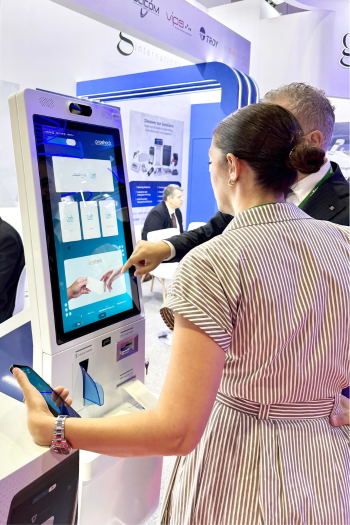
Globalis self-service kiosks attack the problem at its root: they move simple, repeatable processes away from the counter and into a fast, guided self-service flow.
How kiosks improve operational efficiency
Self-service kiosks streamline operations in several ways:
1. Offloading repetitive tasks
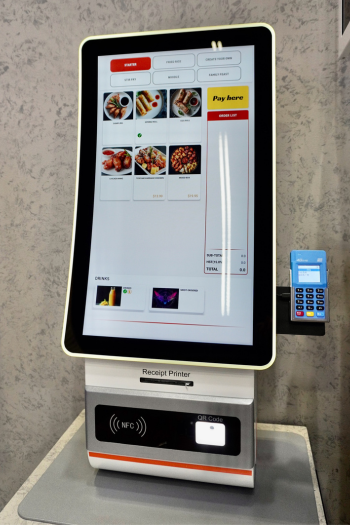
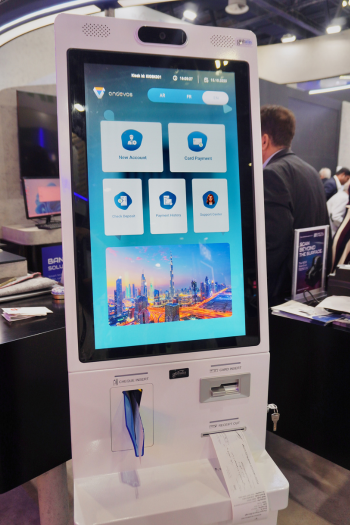
Many daily transactions follow a clear pattern: identify, validate, process, confirm, and print or send a receipt. Globalis kiosk solutions are ideal for tasks such as:
-
Bill and service payments
-
Check deposits and basic banking operations
-
Ticketing and queue management
-
Order placement in restaurants and retail
-
Registration, onboarding and data capture
By shifting these tasks to kiosks, you free up staff time for complex cases, sales opportunities, and customer support instead of routine data entry.
2. Standardizing the process
Unlike human interactions that depend on who is behind the counter, kiosks follow a standard, guided workflow every single time:
-
Mandatory fields are always captured
-
Required documents are scanned and validated
-
Compliance and business rules are enforced automatically
-
Errors are reduced, rework is minimized
This standardization reduces operational risk and makes it easier to monitor and improve performance across branches and locations. With Globalis kiosks, these workflows can be tailored to each organization while still maintaining a consistent experience.
3. Increasing throughput per hour
Because kiosks can work in parallel and do not get tired or distracted, they increase the number of transactions per hour:
-
Multiple kiosks can operate side by side in limited space
-
Customers follow on-screen steps at their own pace
-
Staff are involved only when necessary, instead of for every transaction
The result: more customers served, with fewer bottlenecks, especially at peak hours.
How to get started with kiosks in your organization
For companies exploring kiosk projects, a structured approach helps ensure impact:
-
Identify the top 3–5 use cases
Focus on high-volume, repetitive transactions that consume staff time and generate queues.
-
Map the full journey
Understand what happens before, during and after the kiosk interaction: documents, approvals, notifications, back-office processes.
-
Start with a pilot
Deploy a limited number of kiosks in strategic locations, measure adoption, waiting times, and staff impact.
-
Integrate, don’t isolate
Connect kiosks to existing systems (core banking, CRM, ERP, ticketing, etc.) so data flows smoothly and no manual duplication is needed.
-
Engage customers and staff
Clear signage, on-screen guidance and well-trained staff are key to driving adoption and ensuring a positive experience.
Partners like Globalis can support this full cycle—from defining use cases and selecting hardware, to software integration. Find out more here.